

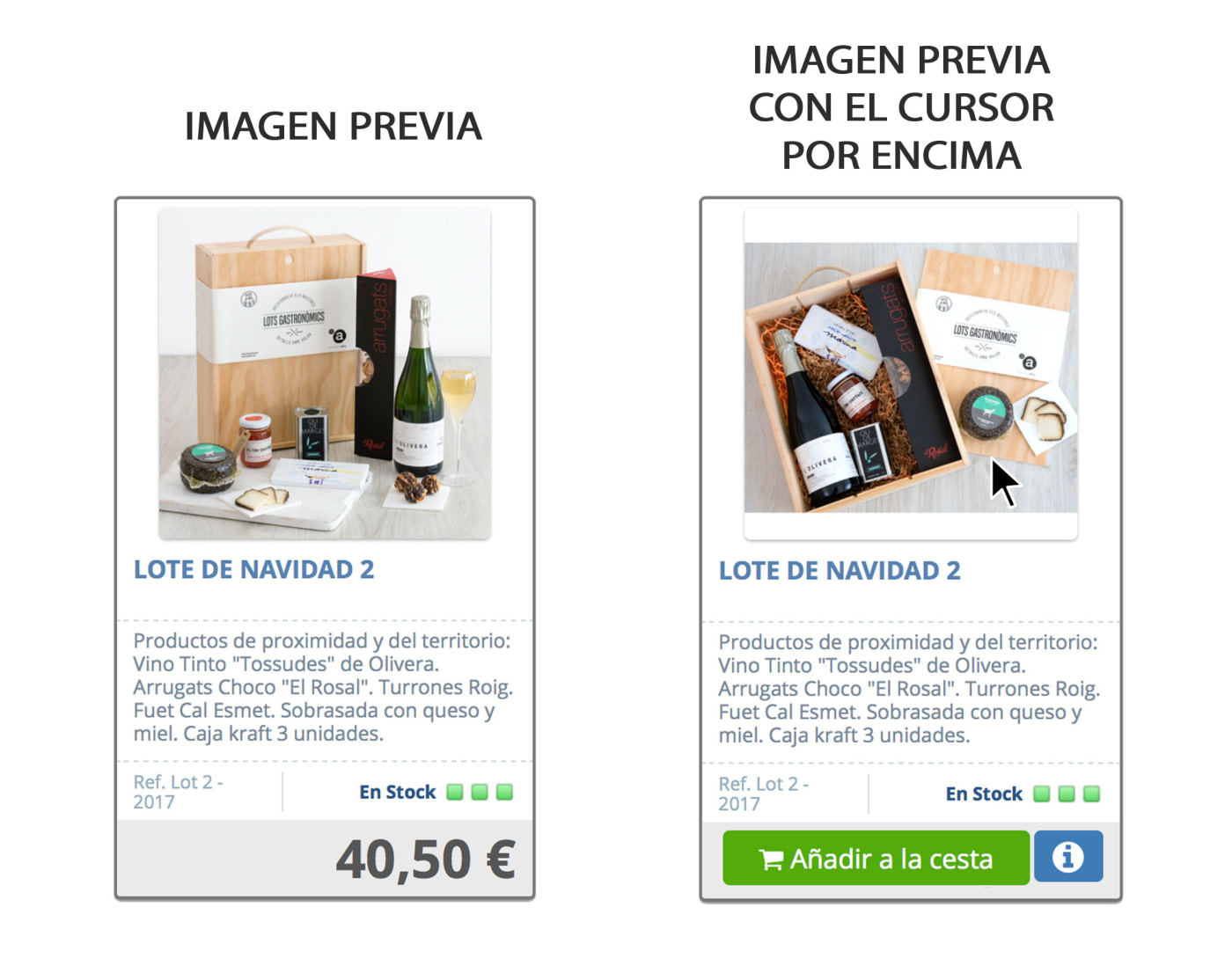
We have added a new feature available to all users with Online Store. This feature is applied to the product list and allows us to have a different preview image from the one we have, which is displayed when we hover the mouse over the image of the product. This replacement preview image is the second image of the gallery product if you have such functionality enabled.
Example:
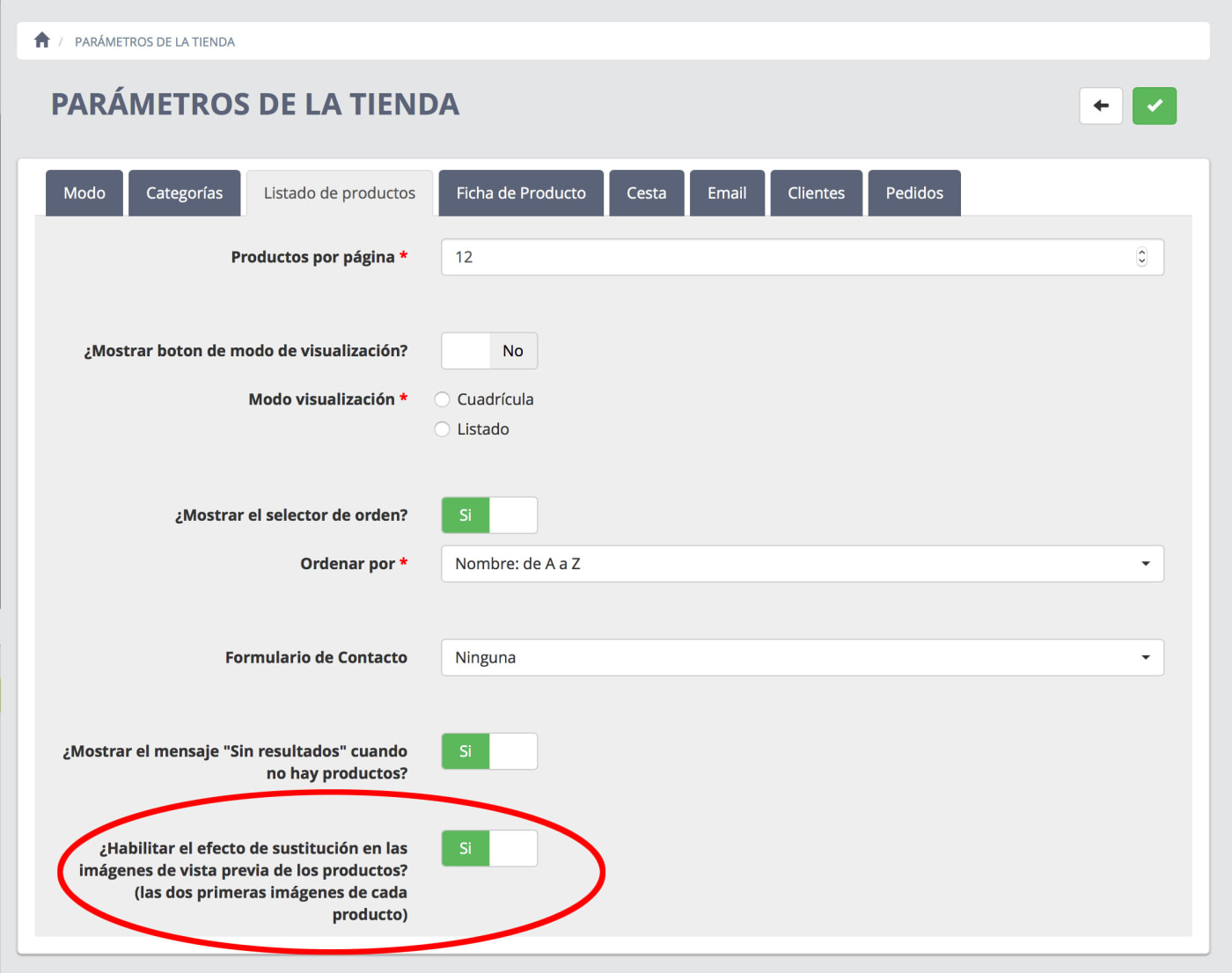
To activate or deactivate this feature we will have to go to "Store parameters" and once there we enter the "Product list" tab where we will see the corresponding option as shown in the following image:
Remember that the replacement image will always be the second image of the product gallery.