

Ebasnet has incorporated a new functionality that facilitates the management of product stocks using different warehouses. In this way we will be able to indicate the amount of stock in each warehouse of the company.
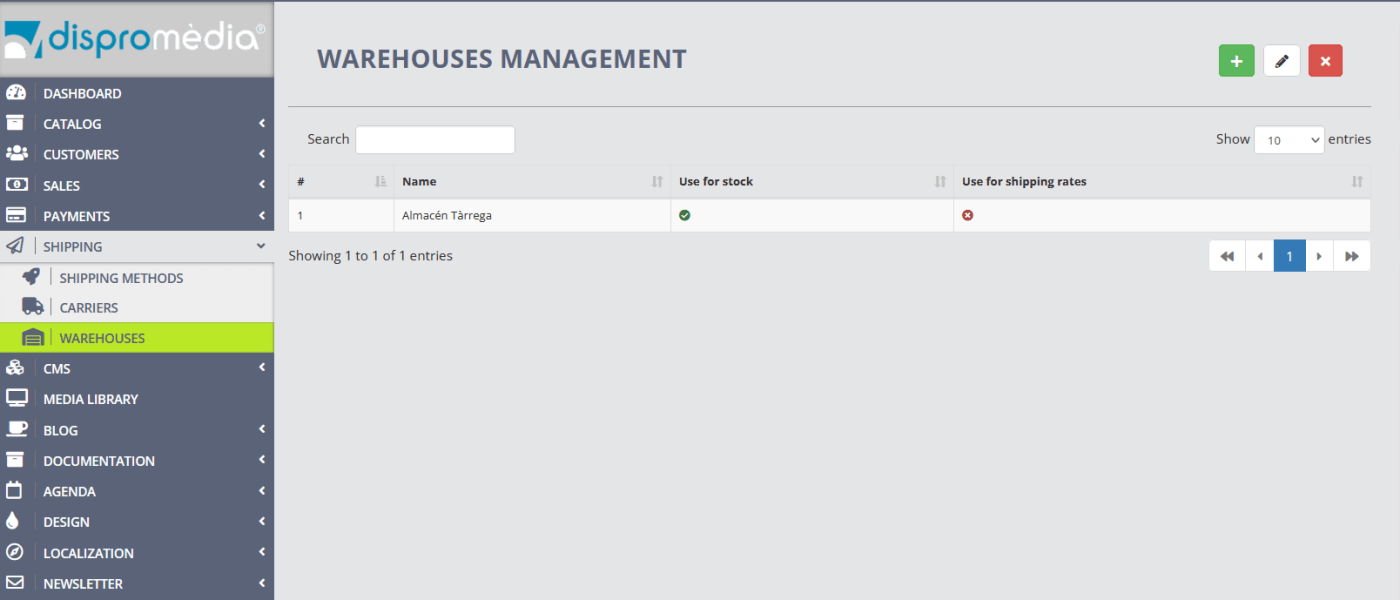
To activate it, you must first go to the Shipping - Warehouses section. In this section you can add the company's warehouses and/or modify their information.
To activate it, you must first go to the Shipping - Warehouses section. In this section you can add the company's warehouses and/or modify their information.
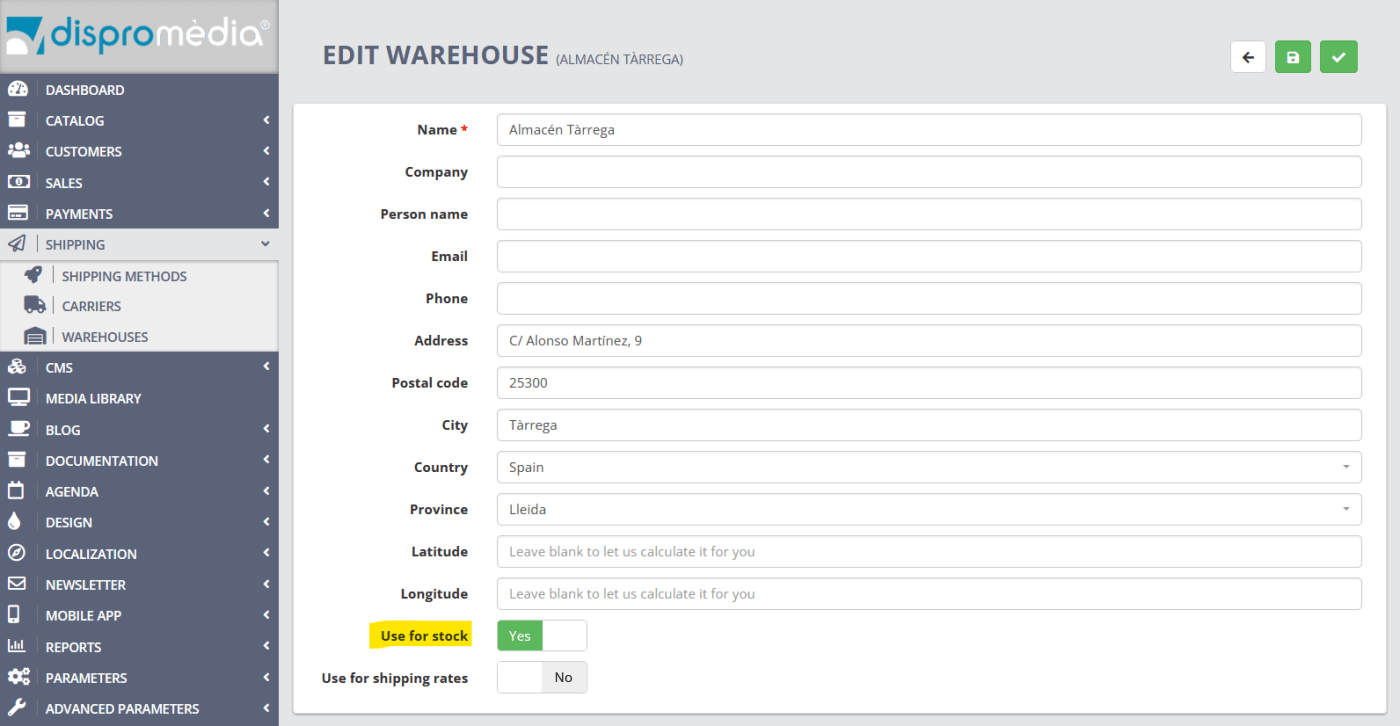
Remember to activate the option "use for stock" in order to be able to enter specific stock for this warehouse.
Once this option is activated in the corresponding warehouses, it will be possible to see the units of each product that are in each warehouse. To see it, go to the Catalog - Products - Edit product - Quantities section.
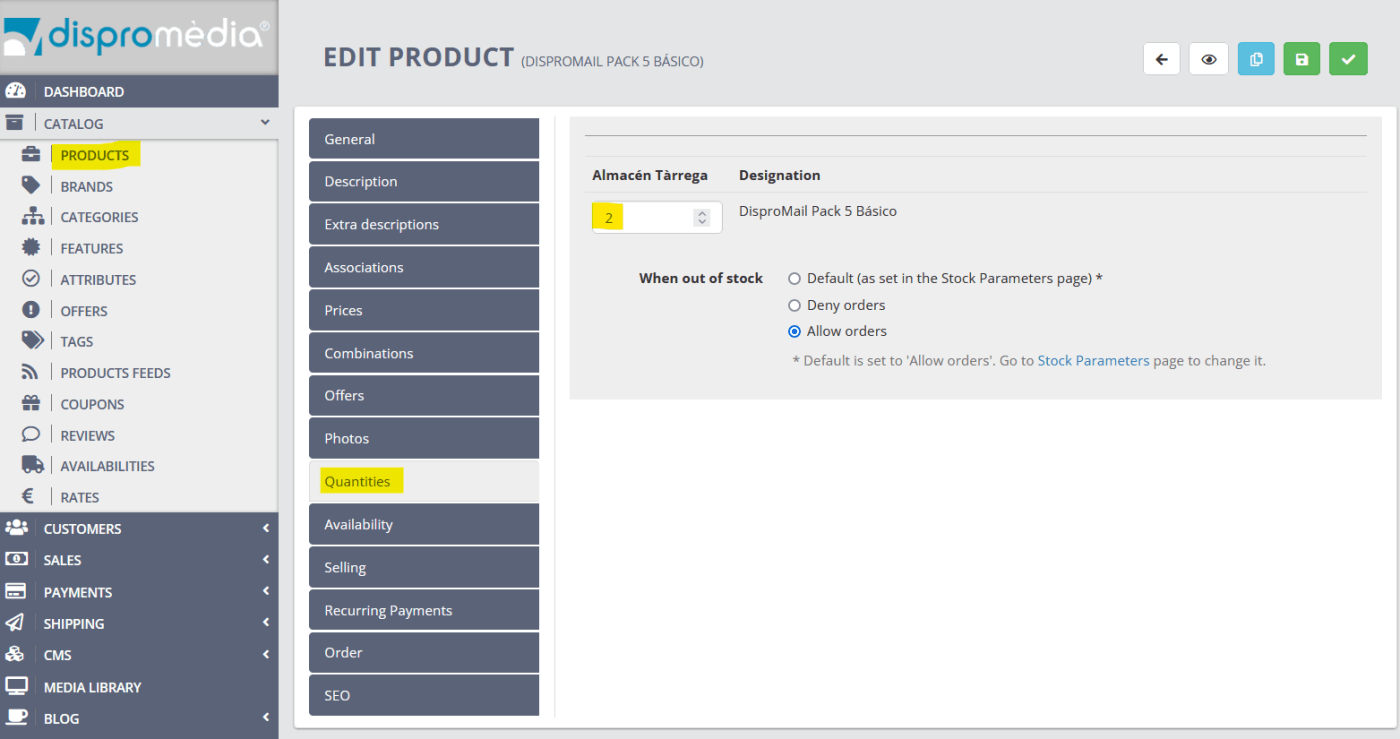
With this new functionality, you can, for example, show the stock in each warehouse on the product sheet.
If you need more information, contact us!