

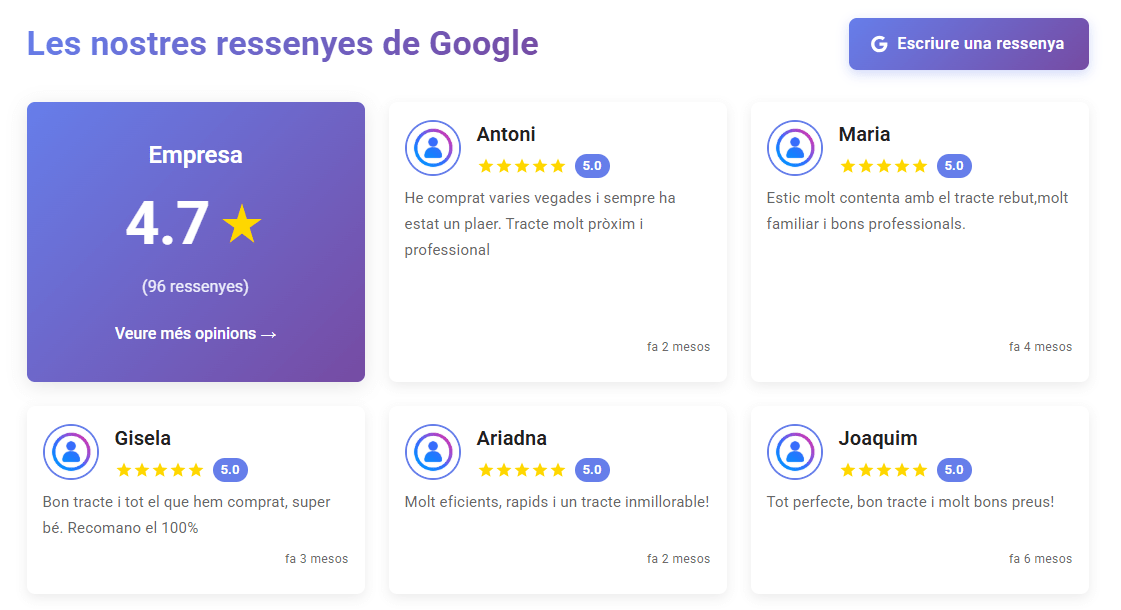
At Ebasnet we are continuously working to incorporate improvements in the platform that allow our customers to have a more powerful and updated website, focused on attracting customers, which is, after all, what every company wants. That's why we have developed a new Google reviews widget, designed so you can easily display your customer reviews directly on your website, synchronized with the new official Google API.
This feature is especially useful if you want to build trust, improve your online reputation and increase conversions by showing real evidence of customer satisfaction.
What does the new Google reviews widget allow?
The new feature integrates several key benefits:
1. it automatically displays the last five reviews.
The widget retrieves the latest reviews available on Google and displays them wherever you choose on your website, e.g. on the home page.
Note that the tool only displays the five most recent reviews. To see them all, you need to access Google directly, which can be done from the widget itself.
2. Reviews in the navigation language
Allows you to filter the reviews according to the language in which they are written. Thus, if the user navigates in Catalan, he will see the last five reviews in Catalan, while if he navigates in Spanish, he will see the last five reviews in that language.
If there are no reviews available in a particular language, the system takes the last five and translates them automatically, ensuring a consistent and personalized experience.
3. Ability to submit new reviews
The widget includes a button that links directly to the company's Google Business profile, allowing any user to leave a review with just a few clicks.
4. Customizable design and configuration
The widget's configuration allows you to choose its appearance to adapt it to each business. You can select the number of columns, the styles, and the information that will be displayed to fit perfectly with the design of your website.
Why is it interesting to integrate Google Reviews on your website?
Implementing this widget brings real benefits:
- Increases trust: More and more users are searching for information before making a purchase, and it has been shown that they trust a business with visible reviews more than one that does not show them.
- Improves conversion: Real testimonials reduce hesitation and encourage people to buy or contact a business more quickly.
- Automatically updated content: Once the widget is set up, you can forget about it. You don't have to do anything, the reviews update themselves.
- SEO: Dynamic and fresh content aligned with your Google Business profile.
- Better user experience: A visitor who sees real proof of the work we do is more likely to become a customer.
How to activate the Google Reviews widget on Ebasnet?
Setting up the new widget is simple and can be completed in just a few minutes. Below, we show you the steps to follow with real images from the Ebasnet control panel to make the process easier.
1. Get the Google API key
First, before heading to the Ebasnet administration area, we need to log into Google Cloud Console and create our API key for the Places API service. Google details the steps here.
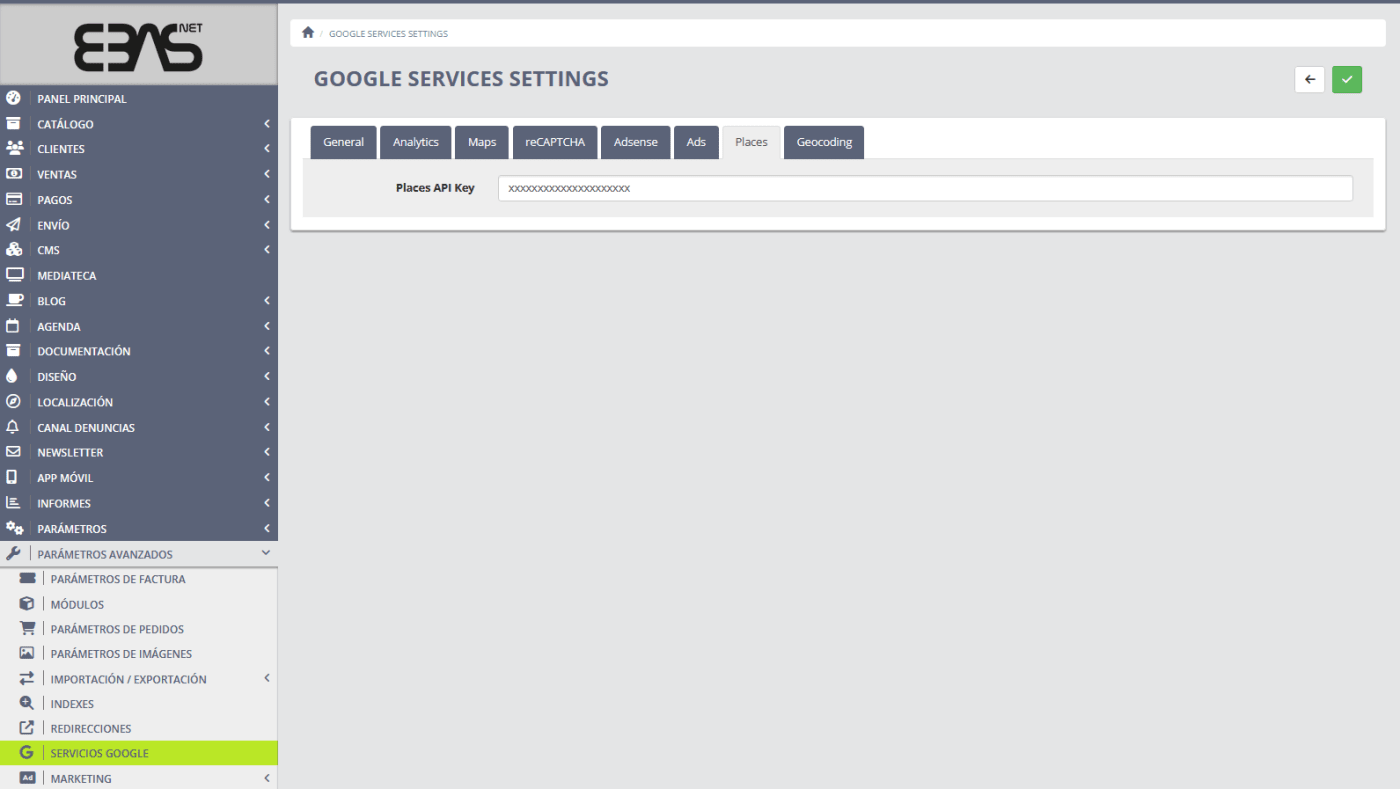
Once we have this information, we can access the Ebasnet dashboard. We can enter the API key from the Advanced Settings → Google Services menu .
2. Locate your Google Places ID
The Place ID is a unique Google identifier for your business. It tells the API which establishment to retrieve reviews for.
You can find information on how to get the Place ID in Google's official help search.
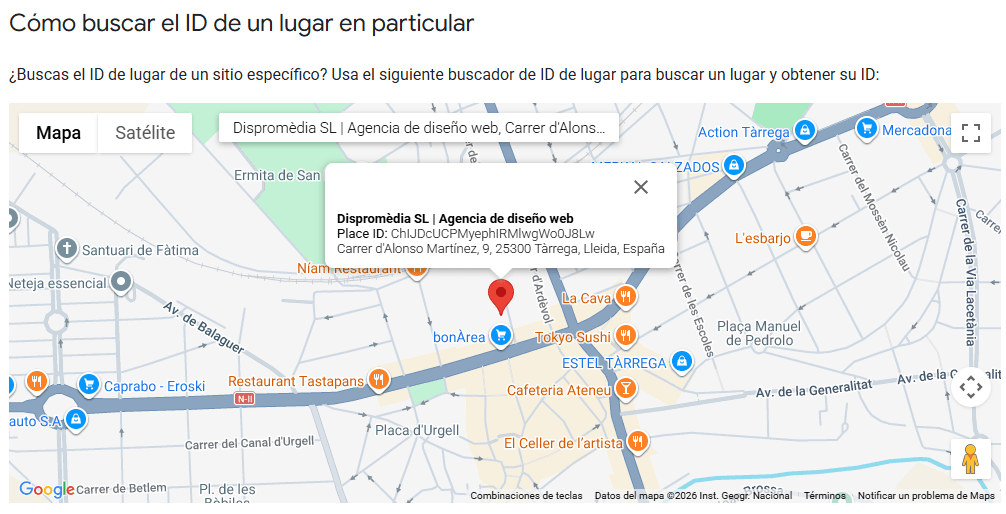
Note that although the API key is unique for each business, the same business can get multiple Place IDs, one for each address it has. This allows a business with multiple locations to show the reviews it has on Google for each location.
3. Embed the widget on your website
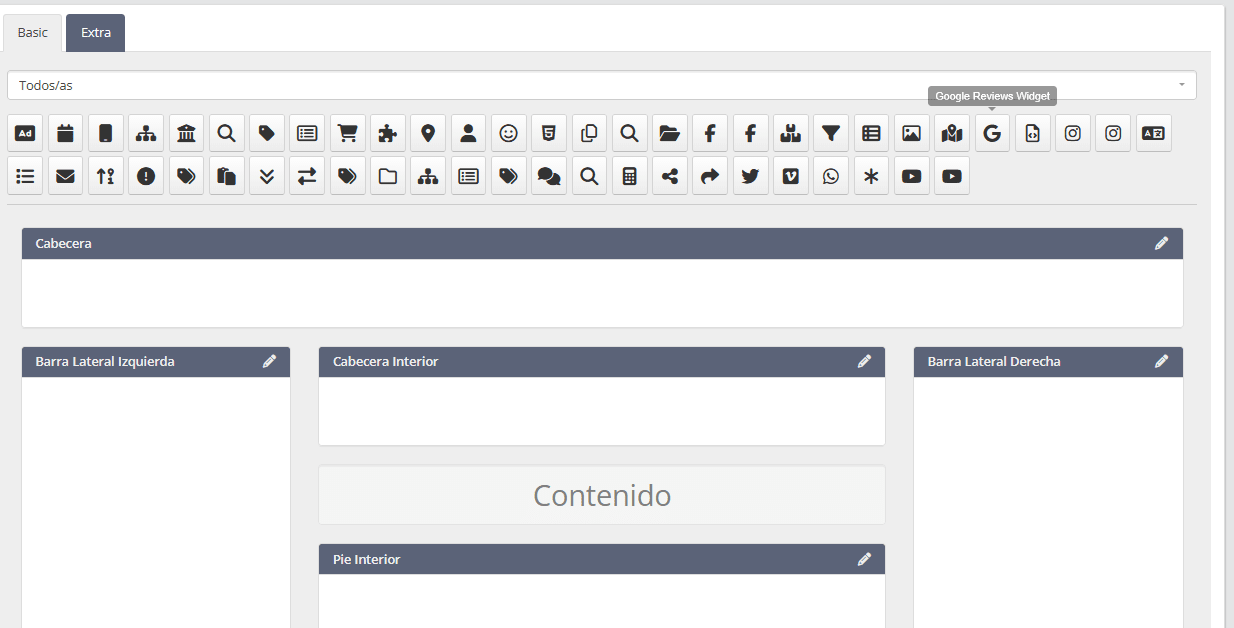
From the Ebasnet dashboard, you must go to the design of the page in question (for example, the home page) and open the block or widget editor. There you will find all the available elements, and you must select the Google reviews widget and drag it to the place where you want it to appear.
4. Configure widget options
Once we enter the widget, we can adjust several parameters:
- The number of columns for each screen size.
- The ID of the place.
- Whether to display the average rating.
- If the profile picture of the reviewer is shown.
- If we want to add a button that allows to leave a new review and also to access all the reviews.
- The display mode (default or alternative style).
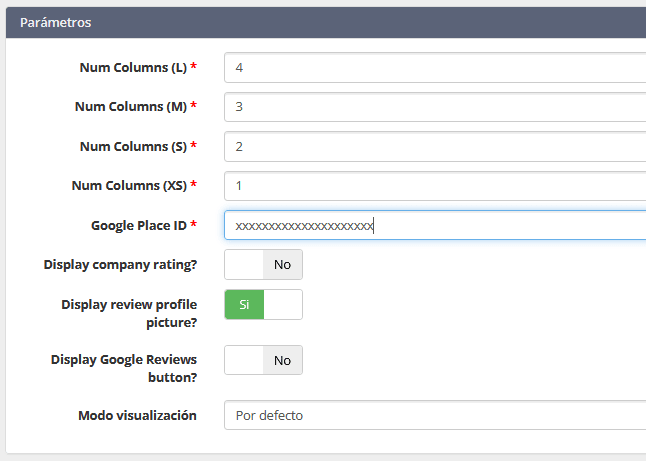
With this, the widget will be integrated and will work automatically.
If you would like to include reviews from more than one location, you will need to repeat steps 3 and 4 for each location. For example, if you have a chain of restaurants with five locations and you want to show the reviews that customers have written about all of them, you will need to perform steps 3 and 4 five times.
Why trust Ebasnet to manage your website?
Unlike other web content creation and management platforms on the market, Ebasnet, the CMS developed by Dispromèdia, is an optimized system to offer:
- Increased security: Automatic updates without relying on external plugins.
- Centralized maintenance: You don't have to worry about critical updates and compatibility.
- Superior performance: The platform is optimized for speed and stability.
- Direct technical support: Personalized and specialized service .
- Professional integrations: Like this new Google Reviews widget, ready and verified.
If you want a stable and modern website with professional features, Ebasnet is a safe bet.
Discover all the advantages of Ebasnet here.
Do you want to activate the widget on your website?
If you want to integrate your Google reviews on your website and need technical assistance, or if you would like to know how Ebasnet can help you improve your digital environment, please contact us and we will be happy to advise you.