

A new function has been added to the Ebasnet system. This one consists of an option called Loop, that allows videos from carousel to be continuously reproducing or to reproduce only one time.
To activate this option, you must go to “carousels”, once there you must add a new slide and then change the mode into video. Just like the following image:
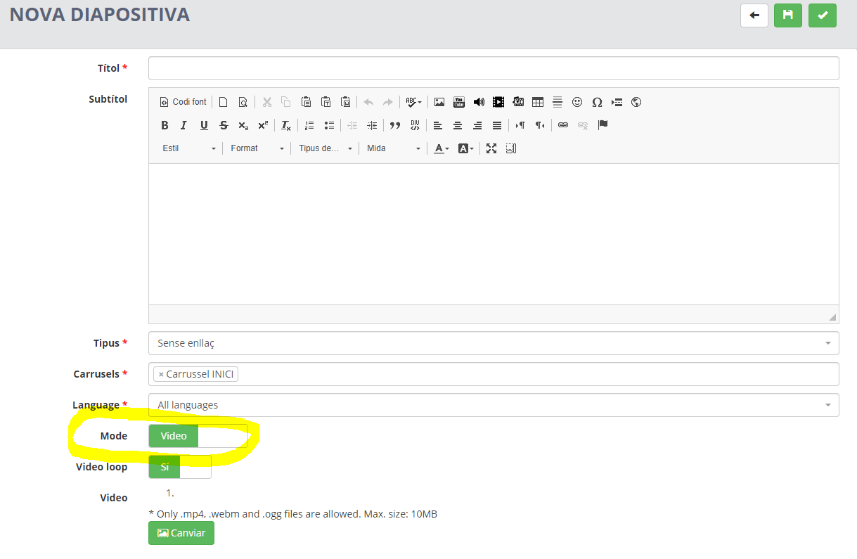
Then, you will see a second option called “video loop”.
If the option is enabled, the video on the carousel will be continually playing. However, if the loop option is disabled, the video will be reproduced only one time when you open the web page.
This new functionality improves the presentation of the webpage according to the customer needs.
To activate this option, you must go to “carousels”, once there you must add a new slide and then change the mode into video. Just like the following image:
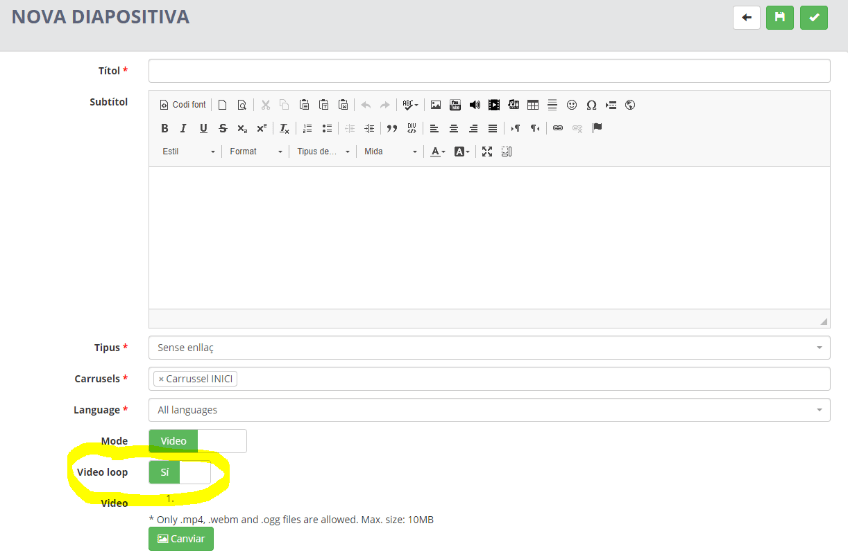
Then, you will see a second option called “video loop”.
If the option is enabled, the video on the carousel will be continually playing. However, if the loop option is disabled, the video will be reproduced only one time when you open the web page.
This new functionality improves the presentation of the webpage according to the customer needs.