


With this new feature you can add extra tabs on your products. In these extra tabs you can give the name you want and also put information that you think will be useful to complete the information on your products. For example, you can add an extra tab of technical information and another of videos ...
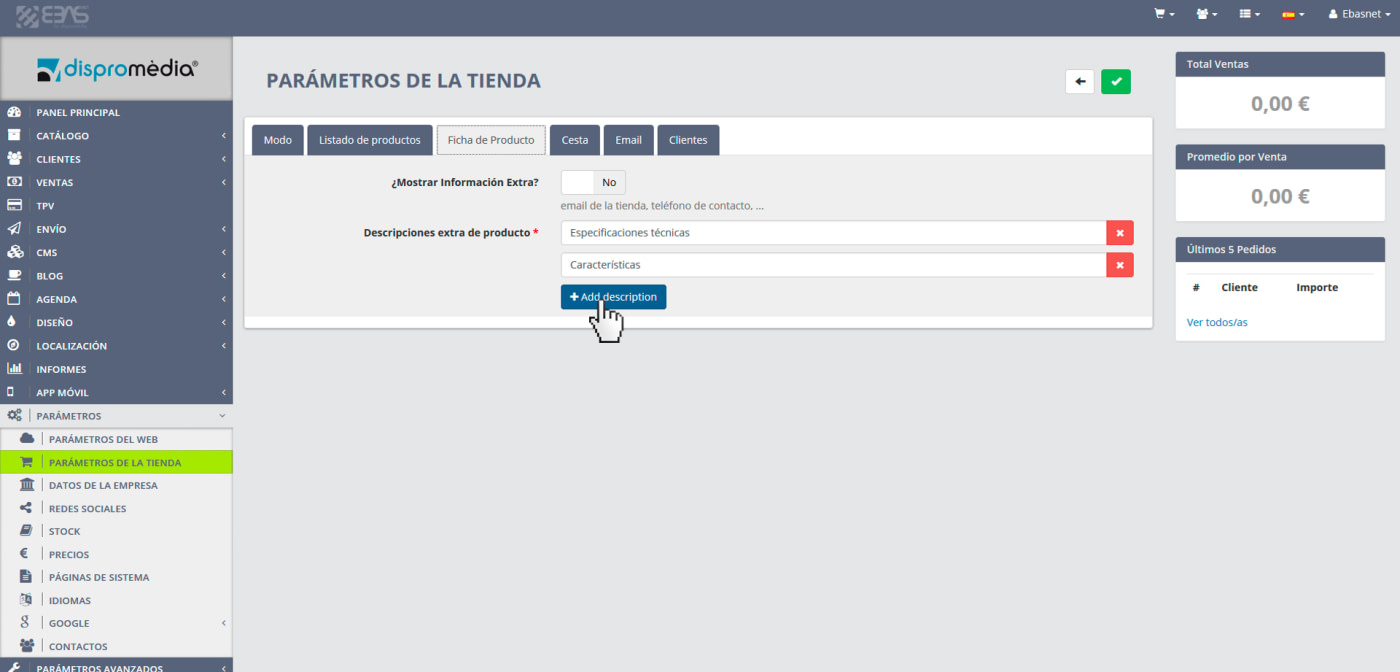
To create extra tabs, go to the menu "Settings -> Store settings" in your Ebasnet backoffice and click on the tab "Product detailed".
Once there, simply squeeze the button "+Add description" to add as many titles and text fields as you want (see picture below).
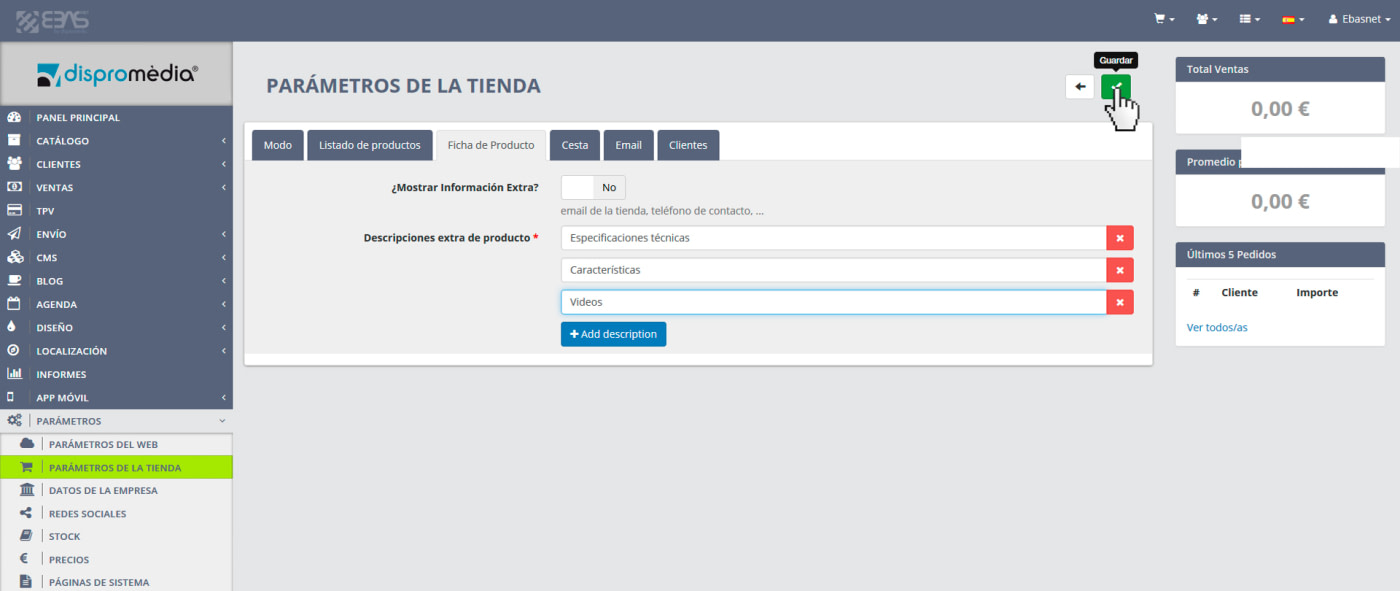
Fill in the text fields with the names or titles of tabs as needed and then click the save button at the top right (see image below).
Once saved extra descriptions according to the above steps, you can go to any product within your Ebasnet cms (Catalogue -> Products) and edit it. You will see a new tab called "extra Descriptions". If you click on it you will find as many text areas as extra descriptions you have added previously (see picture below).
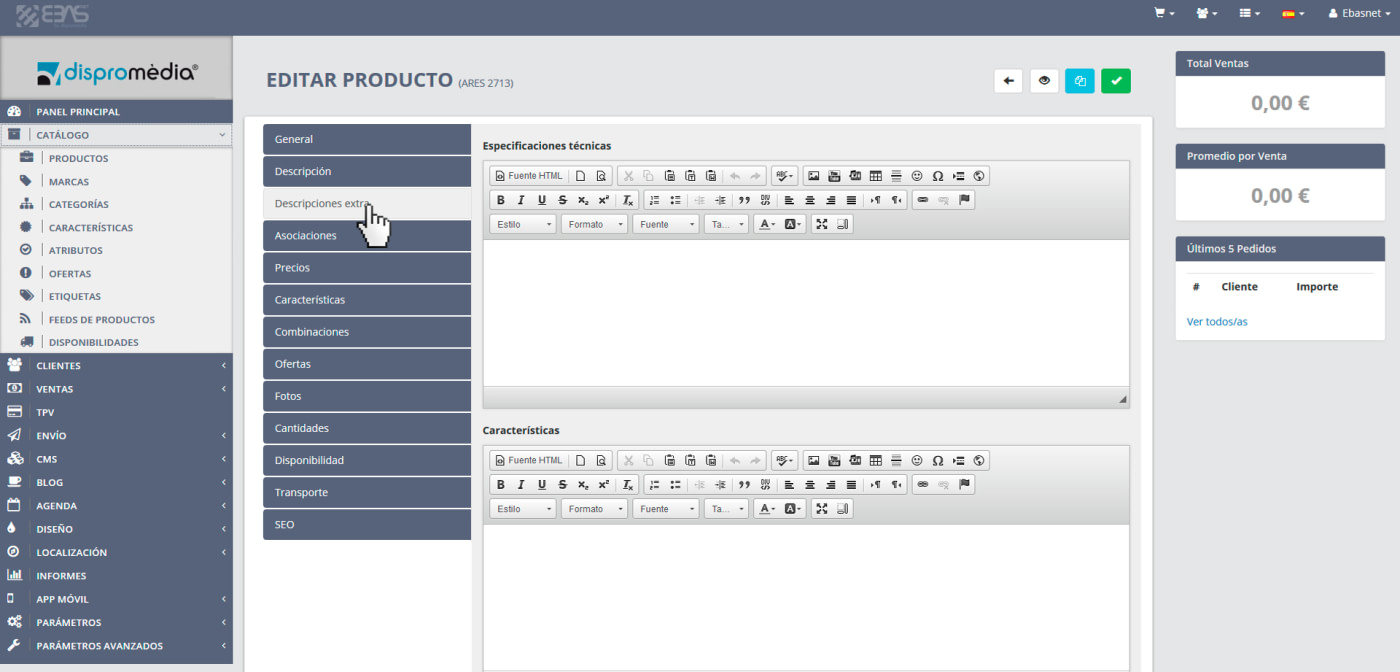
In these text areas you can add information as needed, such as texts accompanied by pictures, videos, links, tables, documents, etc.
Once saved the product after adding the appropriate information if you go to the public part of your site and search for this product, your new tabs will appear right from the tab "Product Description" provided by default.
We hope you will find it useful.